

8. Packages
Shopify
Your plan, and your account.
1Red numbers are the steps to take. Each one marks its place in the picture.Grey text explains what you see on the screen.Steps with no number happen outside the picture, on another screen.
8.1 Choose a plan (packages)
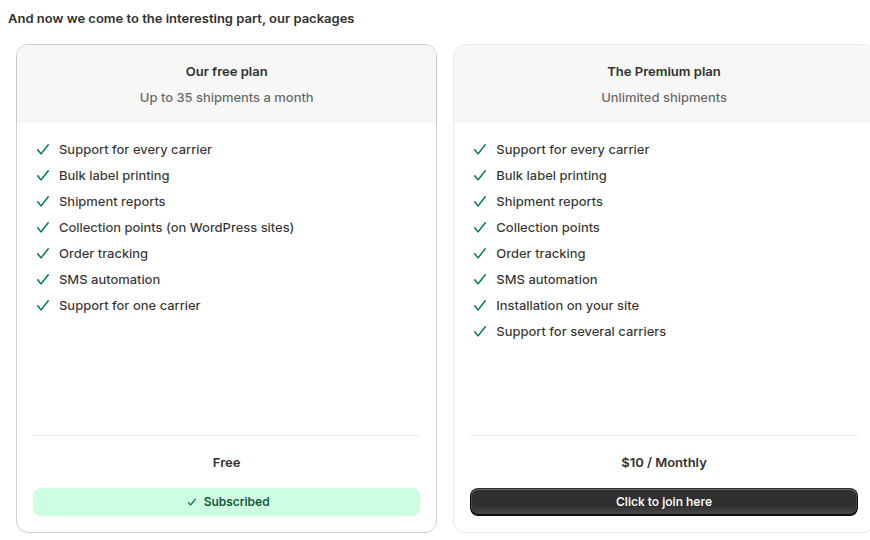
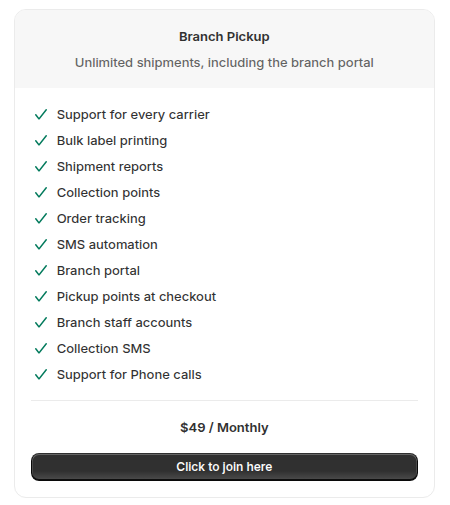
- Your current plan is marked. The free plan: up to 35 shipments a month, with one shipping company. Premium: no shipment limit, up to 3 shipping companies. Branch Pickup: the branch portal, with no shipping company limit.
Good to know
Each plan's card shows its current price, before taxes. The free plan's card shows its limit, and we email you as you near it.
8.2 Pay for a plan
2 steps on this screen
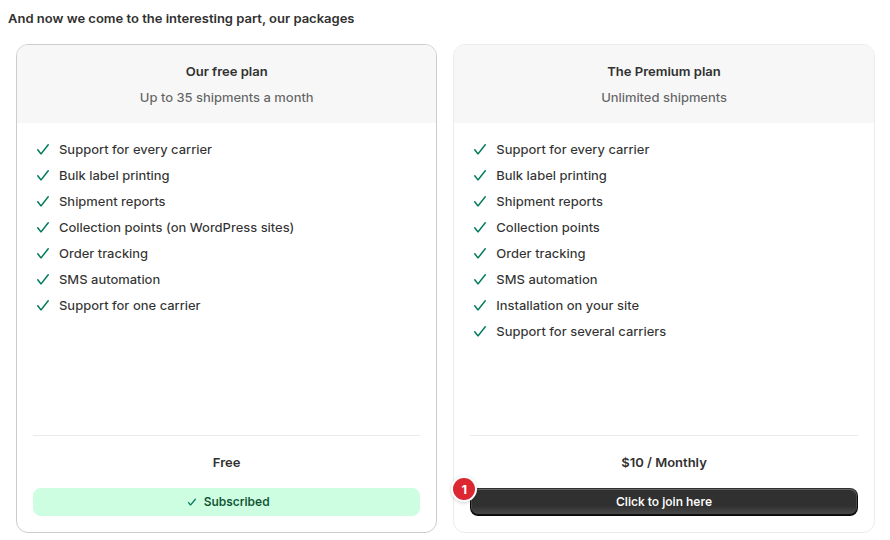
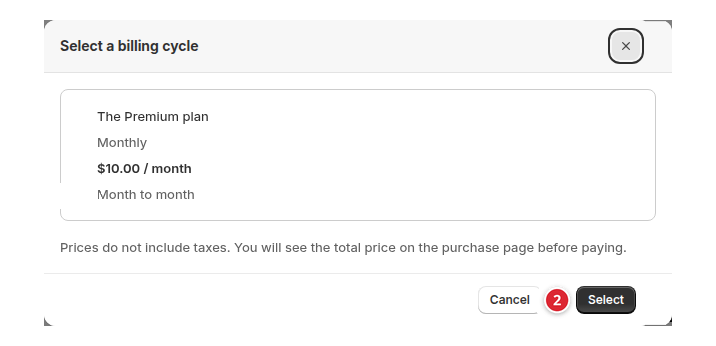
- 1Click the Click to join here button on the plan. Billing is month to month.
- 2Click Select.
- Click Approve in Shopify to accept the charge. The plan starts once you do.
Good to know
Nothing happens? Your browser may have blocked the page, so click Open checkout page.
8.3 Cancel your plan
2 steps on this screen
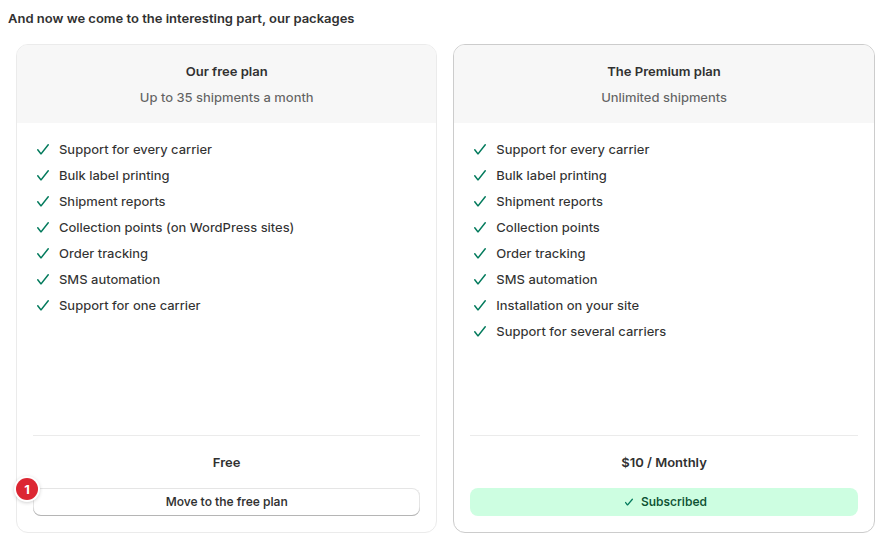
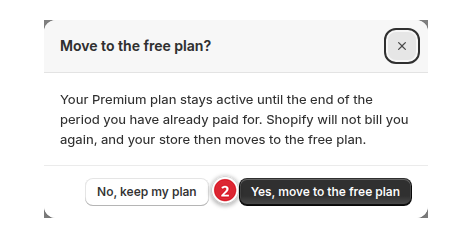

- 1Click Move to the free plan.
- 2Click Yes, move to the free plan to confirm. The page shows the day your paid plan ends.
Good to know
A canceled plan stays active until the end of the period you paid for, and Shopify does not bill you again.
8.4 See your account
3 steps on this screen
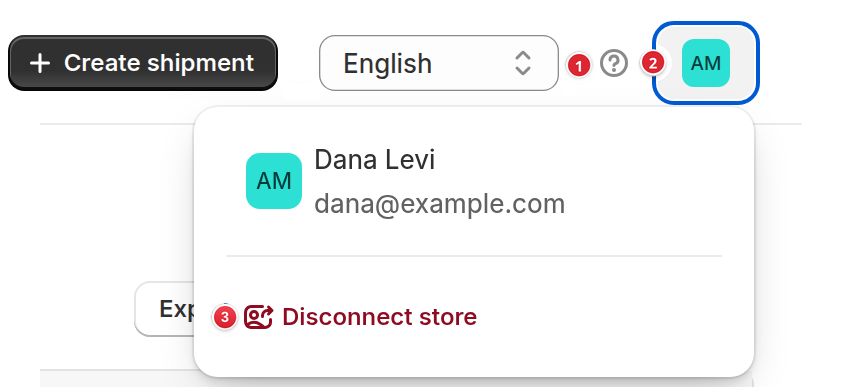
- 1Click the question mark in the ShipOS bar at the top to open this guide again.
- 2Click your initials in the ShipOS bar at the top to see which ShipOS account this store uses.
- 3Click Disconnect store to unlink the store.
Good to know
Disconnecting keeps your shipments and settings in the account. Connect the store again to see them.