

7. Account
Wix
Your language, and the ShipOS account this site uses.
1Red numbers are the steps to take. Each one marks its place in the picture.Grey text explains what you see on the screen.Steps with no number happen outside the picture, on another screen.
7.1 See your account
3 steps on this screen
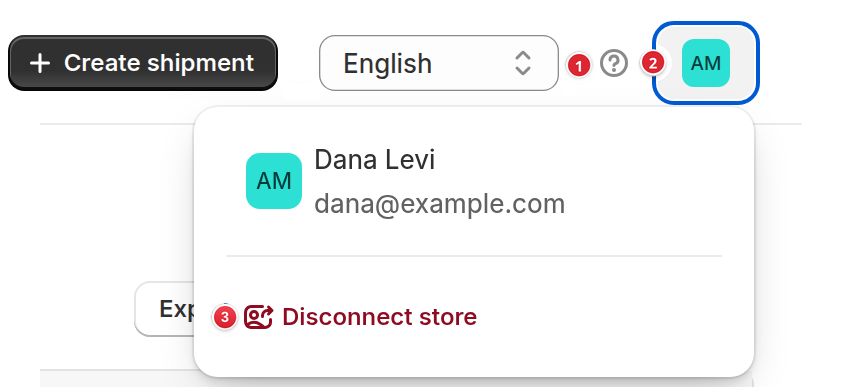
- 1Click the question mark in the ShipOS bar at the top to open this guide again.
- 2Click your initials in the ShipOS bar at the top to see which ShipOS account this store uses.
- 3Click Disconnect store to unlink the store.
Good to know
Disconnecting keeps your shipments and settings in the account. Connect the store again to see them.